GymOS update 2026.94, released April 5, 2026 contains two major functional updates.
- A new, improved and enhanced self-serve campaign workflow
- GymOS Sites
New self-serve campaign workflow
The public-facing sign-up forms and campaign workflow have been completely rewritten to introduce improvements, efficiencies, and new features. The new flow is fully backwards-compatible.
The forms feature a new, modern design with a customisable palette. Designed for ease of integration into existing landing pages and websites, they deliver a barrier-free lead-capture and sign-up process.
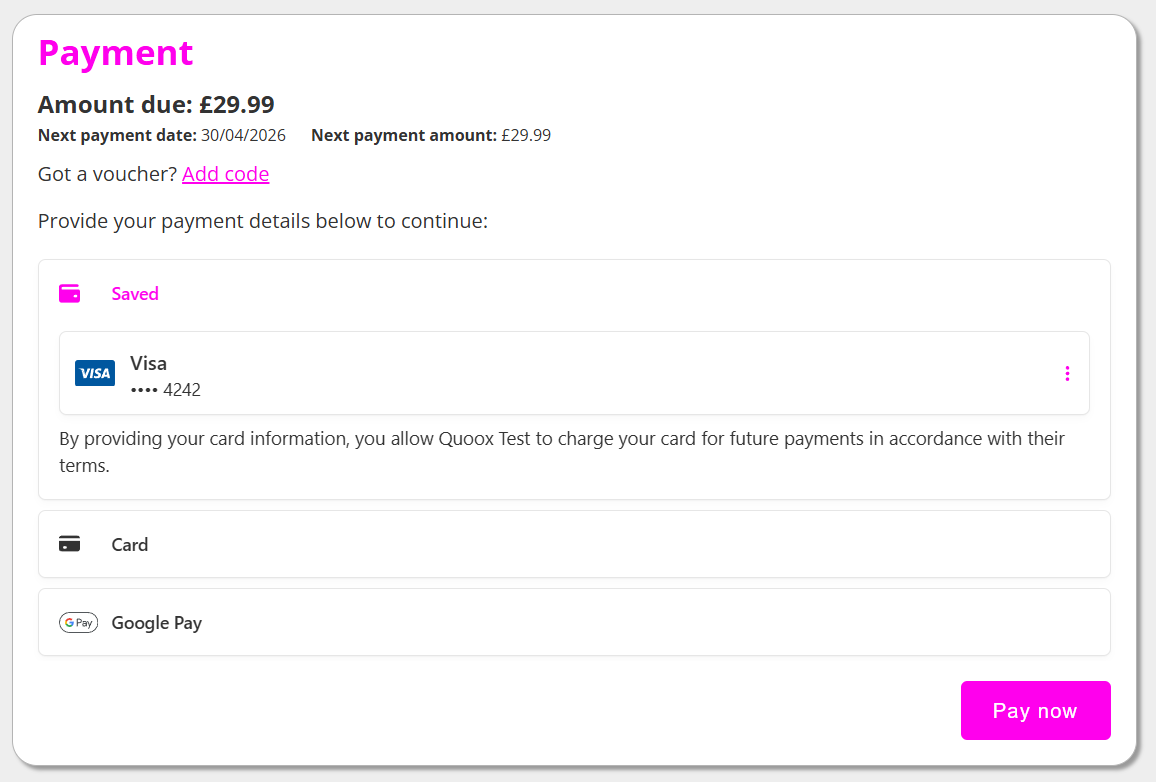
The new checkout offers Apple Pay, Google Pay, and Link integration.
In a typical trial sign-up campaign, leads need only enter their name, email, and mobile number, then double-click their phone to make payment. It is as simple as that.
No barriers. No obstacles. Maximum conversions.
Noteworthy changes/enhancements:
- An updated visual appearance, in keeping with modern styles and tastes.
- By default, the forms no longer display a background image and only show one if you add it to the campaign.
- The new form operates in a new “smart context” mode, where it knows if it is embedded in a page or running as the entire page. It applies styles accordingly to suit. Its responsive design presents cleanly on mobile and desktop.
- The form has been designed to make embedding effortless, especially into GymOS landing pages.
- The colours of the form may now be styled, making it “fit in” on whatever page it is put in.
- The appearance of the membership and plan selection pages has been re-worked. This has reduced the number of clicks and made it more intuitive.
- We have reworked the workflow of the appointment selection. It is no longer a list that you need to scroll to find the appointment type relevant to you. Subject to context, you can now refine the appointment type and location selections. Typically, this is done automatically for you. The appointment selector now matches the DropSlot appointment selector. You select an available date, and then select an available time. Much less reading. Much more intuitive.
- You can now pre-fill form data from the host page if it is on a FitnessHub (or vanity) domain.
- The checkout is simpler and requires less data capture.
- The checkout is “Link” enabled, offering easy pre-fill of existing cards from Link or already saved in GymOS.
- On mobile devices, the payment page now offers Apple Pay and Google Pay. GymOS pre-registers the FitnessHub domains with Stripe to comply with Apple/Google regulations. GymOS clients should also add their website domain to Stripe if they have not already done so.
- A new campaign type has been created, called “Member account creation”. This is similar to a lead capture, except it creates the member record. You can choose whether to require the person signing up to add a payment method at sign-up. This registers the card but does not charge it. This saves the need for short, dummy memberships to create member records.
- There is a corresponding trigger for the new “member account creation” campaign type.
- The campaign hook and landing administration pages now include a “get embed code” option where you can get your embed code (setting the colours you want to use as you go).
- The new landing page builder contains a new widget, which is the campaign form embed widget. You add the registration form URL, select your colours, and “job done”!
- The processing of a successful checkout is no longer done “in-browser”, but is instead a triggered background process. This increases checkout resilience.
- If you specify a FitnessHub/vanity URL domain as the completion page, GymOS will automatically log you in as part of the bounce to it.
- Meta pixels and analytics are now supported the whole way through.
- The lead capture form now uses v3 of the Google Captcha, which is less intrusive.
- When a membership is scheduled for advanced start, if the member doesn’t have a card on file, this will be captured as part of the sign-up process.
- When a campaign is misconfigured (E.g., all memberships set to private), this is now more explicitly indicated for identification and remedy.
- Additional validations have been added for when a user presses “back” or “refresh” during a checkout process.
- Auto-fill and keyboard types for form fields, to make it easier to use on mobile devices.
- Lead name field now validates to ensure they have entered both first and last names.
GymOS Sites
It is now possible to build and host your entire gym website in GymOS.
- The new GymOS Canvas page builder has been added to FitnessHub.
- You may now specify a custom home page for your FitnessHub site. This may either be a page within the FitnessHub design framework, or one of an entirely “blank canvas” design.
- You may create re-usable content blocks, for use as page headers & footers. This reduces time/effort in creating menus etc.
- FitnessHub may now be delivered on an apex domain*, rather than a sub-domain (I.e. mygym.com, rather than members.mygym.com).
- When delivered “at apex”, all FitnessHub and landing page functionality is also delivered on the apex-level domain.